Invoice.
A free, browser-native invoice generator built for global freelancers and small businesses who need speed, flexibility, and control. Users can create professional PDF invoices instantly — with any currency, custom branding, and zero sign-up. Unlike traditional invoicing platforms, all data stays on-device, eliminating friction, subscriptions, and privacy concerns.
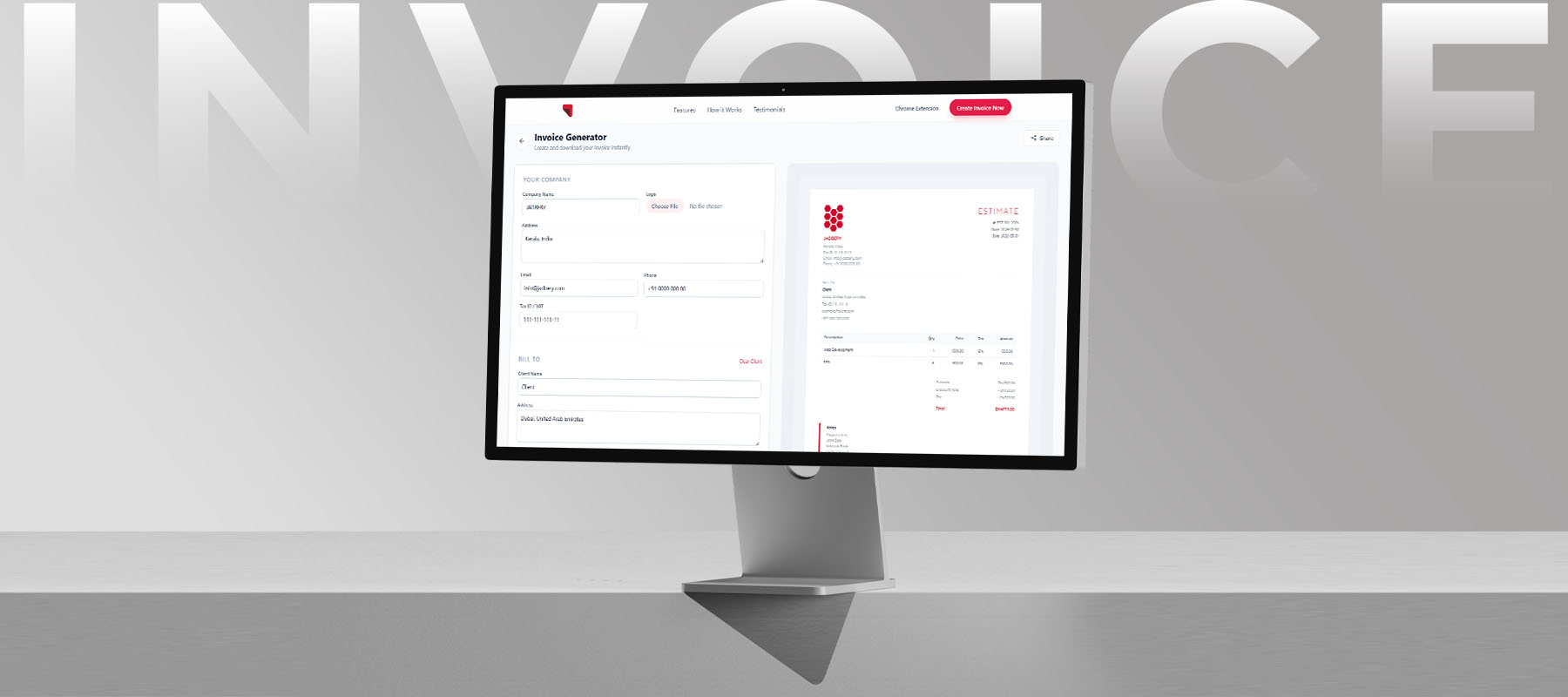
Invoicing tools are restrictive, bloated, and not built for global freelancers.
Freelancers and micro-businesses are forced into subscription-based invoicing platforms designed for larger teams. These tools require account creation, store sensitive financial data in the cloud, and limit flexibility in key areas like currency support and branding. Many platforms only support major currencies, creating friction for users working with local or less common currencies. There was no fast, private, and globally flexible option for users who just need to generate an invoice instantly.
- —Eliminate all friction — no sign-up, no payment, no onboarding required.
- —Support all global currencies, not just major ones.
- —Allow users to customize invoices with their own branding.
- —Keep all financial data local to the user's browser for complete privacy.
- —Deliver a live preview so users see exactly what they'll download before they download it.
Understanding the Freelancer Invoicing Workflow
The target user is someone who invoices infrequently and values their time. Existing tools were audited alongside common freelancer complaints. The core finding was that users abandoned invoicing tools not because of missing features, but because of unnecessary steps before they could create their first invoice.
Zero Patience for Onboarding
Users want to create an invoice in under two minutes. Any friction before that — email verification, plan selection, tutorial flows — causes immediate drop-off.
Privacy is a Real Concern
Freelancers enter sensitive client names, project amounts, and tax IDs. Knowing that data stays in the browser is a meaningful trust signal, not a marketing claim.
Currency Limitations Break Global Workflows
Many tools only support major currencies like USD or EUR, forcing freelancers working with local or international clients to compromise or switch tools. Currency flexibility is not an edge case — it's a core requirement for global users.
WYSIWYG is Non-Negotiable
The 'download, check, adjust, repeat' loop is a major pain point. Users want to see the final invoice as they fill in the form.
Amir, Freelance Developer
"I invoice maybe five clients a month. I don't need accounting software, I just need a clean PDF fast."
- —Doesn't want to create yet another account for a tool he uses occasionally.
- —Frustrated by watermarks and branding on free-tier invoicing tools.
- —Wants his invoices to look professional without spending time on formatting.
Priya, SEO Expert
"My clients expect a proper invoice with their details, my details, and a breakdown. That should take two minutes, not twenty."
- —Wastes time exporting and re-formatting PDFs from web-based tools.
- —Uncomfortable storing client financial details on third-party cloud platforms.
Stripping the Flow to Its Essentials
The information architecture was designed around a single linear flow: company details → client details → invoice metadata → line items → download. No menus, no dashboards, no settings pages. The left-right split layout — form on the left, live preview on the right — was chosen to collapse the feedback loop entirely, eliminating the need to navigate away to verify the output.

Designing for Speed and Professional Output
The UI was kept intentionally minimal to maintain focus on the invoice preview. Brand customization (logo and colors) was prioritized early so users immediately see a personalized output. Full global currency support was introduced as a core feature, ensuring users are not restricted to major currencies. Clear currency labeling (symbol + full name) was designed to eliminate ambiguity and improve trust during invoice creation.
Live Invoice Preview
A real-time preview renders alongside the form — every keystroke updates the invoice instantly, so the download is always exactly what the user sees.
Global Currency Support
Users can select from all international currencies with clear labels and symbols, enabling seamless invoicing for global clients without workarounds.
One-Click PDF Export
No email, no account, no confirmation step. The download button exports a print-ready PDF immediately.
Validation & Iteration
Early users tested the flow by creating a real invoice for an actual client. The primary task was timed from page load to PDF download.
Users completed the core task quickly but were initially confused about whether the currency selector affected only the symbol or also the number formatting.
Currency selection was refined to display both symbol and full name (e.g., 'USD — US Dollar') to reduce ambiguity. This clarified whether formatting and symbol were linked. Additional microcopy was introduced to reinforce that all currencies are supported. The 'Clear Client' action was also redesigned to prevent accidental data loss.
A Zero-Friction Tool That Earns Repeat Use
Invoice Generator launched as a fully free, no-account tool available on the web and as a Chrome Extension, positioned as a fast and globally flexible alternative to traditional invoicing platforms.
"The key product decision was focusing on real user constraints rather than feature parity. By removing friction (no sign-up), enabling global flexibility (currency support), and prioritizing ownership (custom branding and local data storage), the product solves practical problems that most invoicing tools overlook. Simplicity becomes a competitive advantage when it directly aligns with user needs."
© 2026 Shihab Saleem. All rights reserved.